AI IoT Solar Street Lights with GPS Tracking for Remote Projects
GPS tracking helps locate solar street lights, flag unusual movement, and support theft investigations and asset recovery.
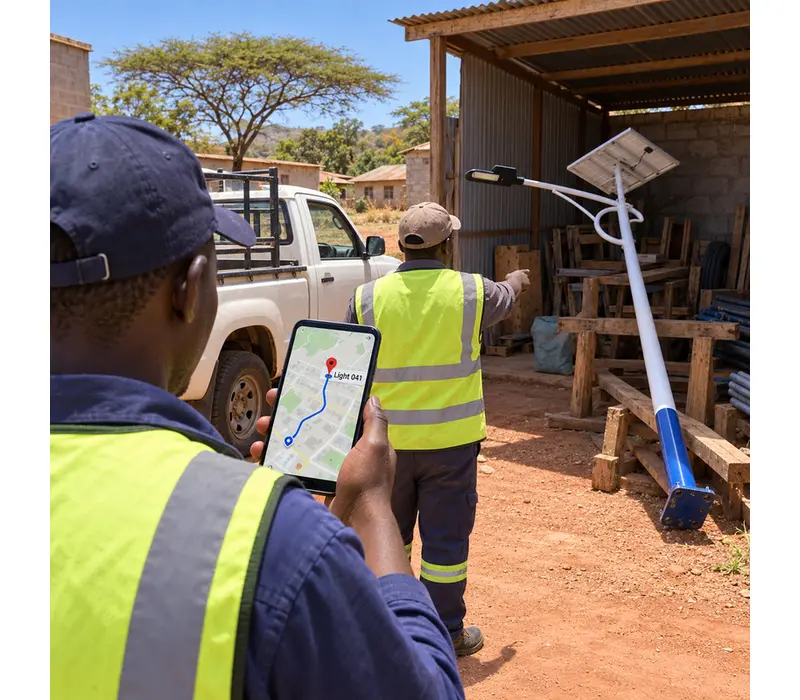
GPS tracking helps locate solar street lights, flag unusual movement, and support theft investigations and asset recovery.
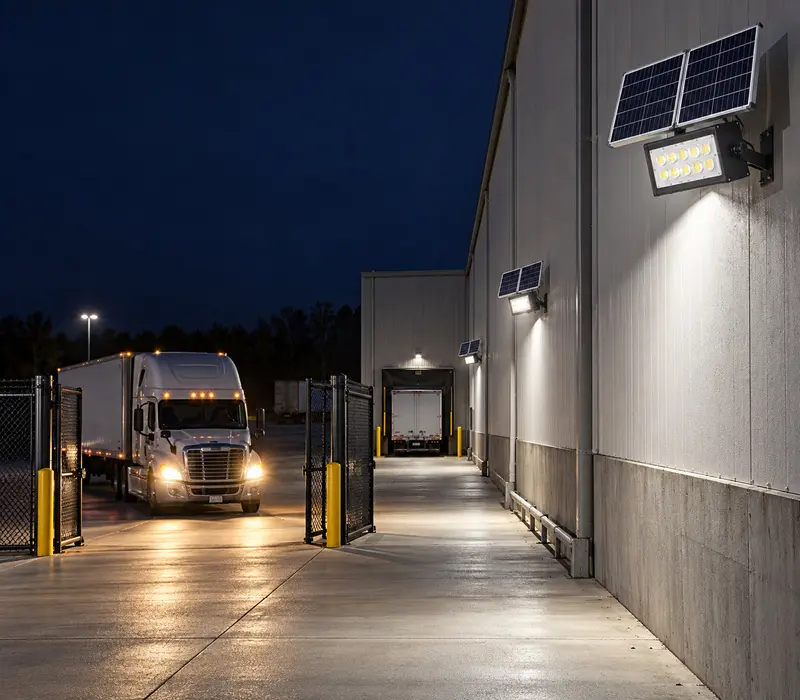
A little after two in the morning, headlights swing across the empty wall of a warehouse. A truck is easing through the gate, hours after the day shift left. The gate light wakes up first. Two units beside the loading lane follow. By 2:22, the driver is at the bay and the yard has gone back to its dim overnight level. Nothing dramatic happened, just the right lamps coming on when a driver needed them. This is the everyday work expected from flood lights with sensors. The difficult bit isn’t buying the sensor. It is agreeing on what should happen at 2:10 a.m., and what should happen during the other seven or eight hours when nobody is there. Watch one night before choosing the rule Our first question is usually about the night shift, not the app. Perhaps the manager locks the yard at eight. A guard crosses it around midnight. The late truck, if it comes at all, turns up once a week. A hotel entrance, meanwhile, has cars coming and going until dawn. They plainly shouldn’t run the same program. For the quiet warehouse, a sensible first trial could be low light after closing, followed by a temporary lift in output when something enters the delivery lane. The driver gets enough light to turn and reverse. After unloading begins, the fixtures return to the overnight setting. Another detection during that interval extends the bright period. Werise lists Tuya-controlled options in its solar flood light category. The HC-WT3-A100W record describes control from a PC or Tuya app. It also covers remote switching, brightness changes, and sensor-led adjustment where the ordered configuration supports them. The final quotation still has to name the controller and sensor being supplied. What actually tells the lamp to change Brochures tend to place sensing, scheduling, and dimming shoulder to shoulder. On the job, they happen at different points. Think of the schedule as the boundary around the rule; it might apply only after the last shift has left. The sensor contributes an event, such as movement in the entrance lane. Dimming is the response sent to the lamp. Joined together, they create the behavior seen by that late-night driver. When we review a project, the rule is written as if we were explaining it to the night guard. From eight in the evening until six next morning, the gate lamp sits at its chosen low level. A movement inside the marked lane brings it up. Once the agreed waiting time has passed, it settles down again. That paragraph is easier to review than a row of icons. The detection drawing will not survive first contact with the yard The smooth fan shape on a sensor diagram never shows the messy bits of a real yard. It misses the tree beside the fence, the shiny corner sign, the trailers that move every Friday, and the road beyond the gate. Mounting height and aim alter what the unit sees. So can the route a person takes when nobody is watching. A sample installation settles many of these questions. With the lane chalked out, someone should walk its middle, graze either edge, and come in from the awkward side. A vehicle follows at the speed drivers normally use. Then everyone waits. Does the bright period drag on, or does the lamp fade before the vehicle clears the turn? We prefer at least one check after dark. After dark, the crew finally sees the beam in context. They also notice passing traffic and the shadows that weren’t obvious at noon. A branch or car outside the property may wake the lamp; a small change of aim can be tried against the same route. The test sheet doesn’t need polish. We use a few practical columns for the model and sensor, where they were mounted, the settings tried, what happened, and what the crew changed. Add missed events and unwanted ones. Those scribbled observations often become the clearest installation instruction in the handover file. Dimming only saves what the site leaves unused Every solar fixture begins the evening with a limited store of energy. The busy question is how long the lamp will stay near its higher setting. The label on the sensor gives no clue how busy the entrance will be tonight. Imagine identical units at two gates. The storage gate opens twice overnight. The residential gate sees shift workers, taxis, dogs, and early deliveries. Its sensor may be doing exactly what was requested, yet its energy use will be much higher. Quoting the saving from the quiet gate for both projects would give the wrong impression. Sizing therefore starts with an estimated night profile. The useful inputs are local night length, hours at each planned output, likely number and duration of activations, and the lighting expected after several weak-sun days. From there, the LED load can be checked with the proposed panel, battery, and controller. If traffic is still a guess, we start cautiously and read the pilot unit’s record later. That keeps the calculation attached to real hours and real brightness settings. A broad saving claim can vanish very quickly on a busy gate. An app account becomes part of the installation The named HC-WT3-A100W Tuya solar flood light is documented with PC and app control plus adjustable brightness. Where the ordered setup supports it, a manager can change an approved setting without booking a hardware visit. The account is easy to overlook at purchase time. Later, it can become the awkward part. Who owns it? Who may alter a schedule? Does the maintenance company need editing rights or just a view of status? A shared personal login usually creates trouble when staff change. In the handover file, each app name should sit beside its physical location. We also capture the live schedule and brightness values, the sensor rule, current access, and the steps for transferring ownership. Responsibility for any included platform or firmware maintenance also needs an owner. Then disconnect the network during the acceptance discussion, at least conceptually. Which behavior remains local? Which part needs communication? The answer depends on the supplied arrangement, so the agreed fallback belongs in the project record. This matters most when the light supports security patrols or a route people use after dark. A status screen answers a different question The customer material for the Tuya unit describes online operating-status checks and automatic fault warnings. A motion sensor answers, “Is something moving in the zone?” Status information answers, “What is happening with this piece of equipment?” They are useful for different reasons. The exact screen content should be confirmed for the quoted controller. It may include device state, battery information, warnings, or other fields. Notification routes and history can vary too. Rather than accepting “real-time monitoring” as a catch-all phrase, place the wanted fields on the acceptance sheet. Commissioning can be simple. Open the correct group, locate the fixture by its site name, and send a permitted brightness change. Check the specified fields. If a warning function is included, demonstrate it by an agreed safe method. A saved screen or a signed test note beside the device list gives next year’s maintenance crew a much better starting point. Tell us what the site does after sunset A plan and quantity get the inquiry started. The useful detail is what follows sunset: when the doors close, how late traffic arrives, whether guards make rounds, and when the place truly goes quiet. On the drawing, show possible mounting points and the ground that needs light. The gate and footpath may sit ten metres apart yet follow completely different routines; tell us if they do. For the solar side, we need the location and any shade, plus the seasons that cause concern and how the lights should behave through poor weather. It also helps to know whether a network reaches the area, how a technician gets to the unit, who will own the account, and how the customer expects the system to be handed over. The proposal can then name every main part instead of leaving the hardware behind generic labels. It can spell out the operating sequence, supported Tuya functions, connection assumptions, and sample-test procedure. Essential items such as motion response, schedules, remote dimming, visible status, and warnings should appear by name. Some sites need more than a single connected fixture. The AI and IoT solar flood light range is useful when reviewing those broader requirements. Send the plan and that night-time story through the Werise contact page. A rough pencil sketch of the sequence is useful; it does not need to look like an engineering drawing. We will check that idea against the proposed sensor and controller, then against the battery and panel, before giving the installer a set of behavior to prove on site.
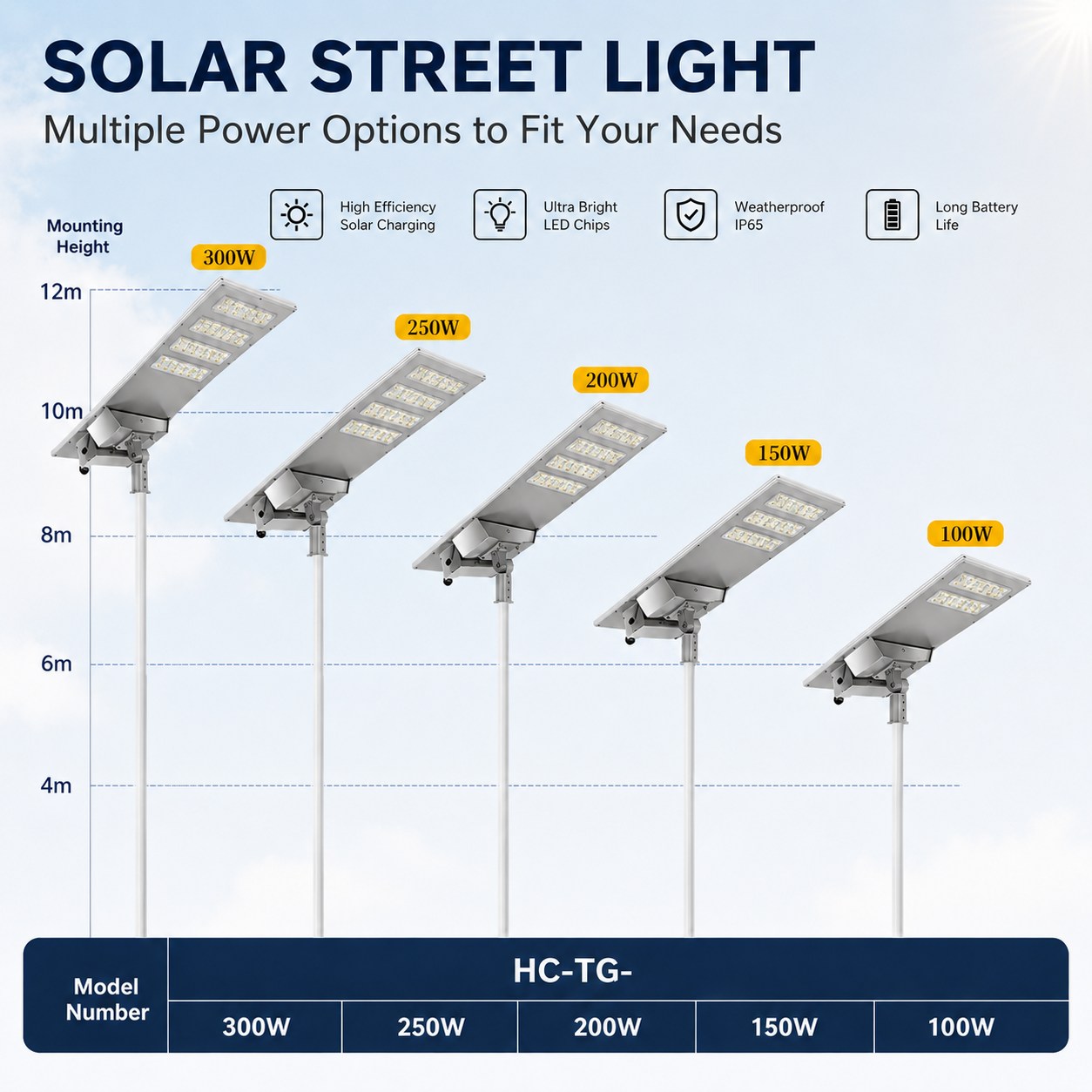
See how sensors, controllers, cameras, and cloud platforms fit into an AI IoT solar street-light architecture, with a model-specific verification checklist.
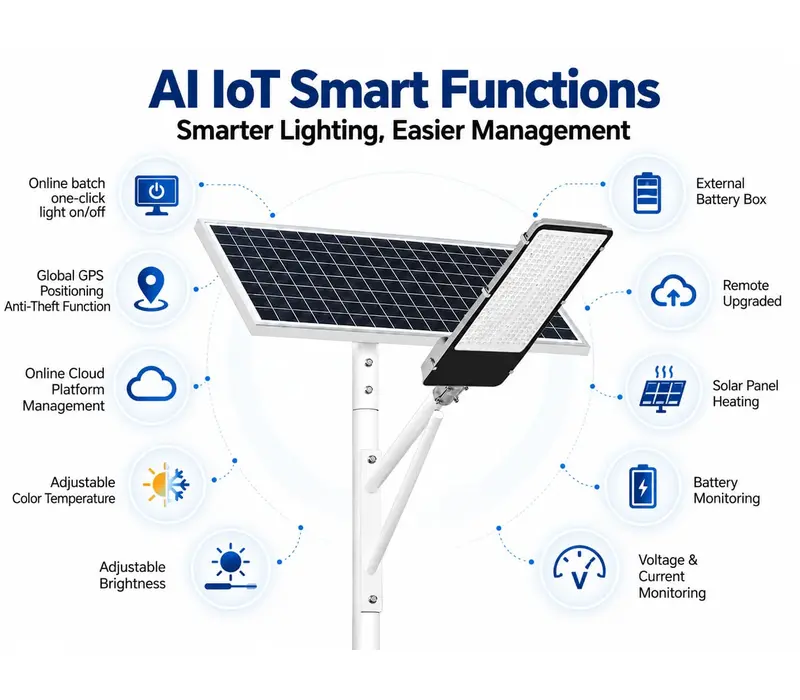
Learn what AI IoT solar street lights are, how connected monitoring differs from standalone solar lights, and which project inputs buyers should verify.

On November 24, 2021, Werise (HIGCOSS GROUP) welcomed 28 consular representatives based in Guangzhou to its headquarters in Zhongshan, China. The visit included a showroom tour, a smart lighting platform presentation, and discussions about potential cooperation. Showroom Tour and Solar Lighting Products During the visit,the delegation first toured the company’s showroom, where they received a detailed introduction to werise’s innovative solar street lighting products. Technical experts presented the core components of the solar street lights, including the PC housing, PC optical lens, waterproof adhesive, LED light source, and die-cast aluminum body, explaining the product’s design philosophy and technological innovations. Smart Lighting Platform Presentation The delegation then listened attentively to a presentation on werise’s Ai IoT Smart Street Lighting IoT Platform.Through a point-distribution map modeled after China’s geography, the representatives gained a direct understanding of the company’s layout and strengths in smart city lighting, highly praising werise’s innovative capabilities in Ai IoT technology applications. In the exchange session, consular representatives from various countries engaged in in-depth discussions with the werise team on cooperation opportunities. The atmosphere was warm and friendly. Several representatives noted that werise’s innovative technology and products align closely with the energy transition needs of their respective countries, expressing hope for future practical cooperation. This visit not only showcased werise’s technological strengths in solar lighting and Ai IoT smart management but also laid a solid foundation for the company to expand into international markets and deepen multilateral cooperation. AI IoT Control System for Solar Street Lighting Managing scattered lighting installations takes time, especially when every adjustment requires a site visit. Our AI IoT control system lets you monitor solar street lights from a PC or mobile app. Check battery status, voltage, current, and discharge data, then remotely switch lights on or off and adjust brightness or color temperature. GPS positioning helps your team locate individual units for maintenance. With operating information and lighting controls in one platform, you can investigate issues remotely and plan site visits where they are needed. About werise werise is a professional AI IoT solar lighting solutions provider, specializing in the manufacturing and trade of solar street lights, flood lights, explosion-proof lights, high bay lights, and outdoor lighting products. The company is committed to its brand philosophy of “Saving Energy, Creating Value, Transforming The Future,” delivering high-quality smart lighting products and services to customers worldwide. FAQ: 1. When did the consular delegation visit Werise? The visit took place on November 24, 2021. Werise welcomed 28 consular representatives based in Guangzhou to its headquarters in Zhongshan, China. 2. What did the delegation see during the visit? The delegation toured Werise’s showroom, explored its solar street lighting products, and attended a presentation on the company’s smart lighting management platform. 3. What solar street light components were introduced? The Werise team introduced components including optical lenses, LED light sources, housings, and waterproof sealing materials, explaining their roles in outdoor lighting applications. 4. How was the smart lighting platform presented? The team used a map-based display to introduce the platform and explain its applications in smart city lighting, giving visitors a visual overview of Werise’s approach to lighting management. 5. Did the visit lead to international cooperation agreements? The article describes discussions about potential cooperation and interest in Werise’s solar lighting technology. It does not report signed agreements or confirmed projects resulting from the visit.