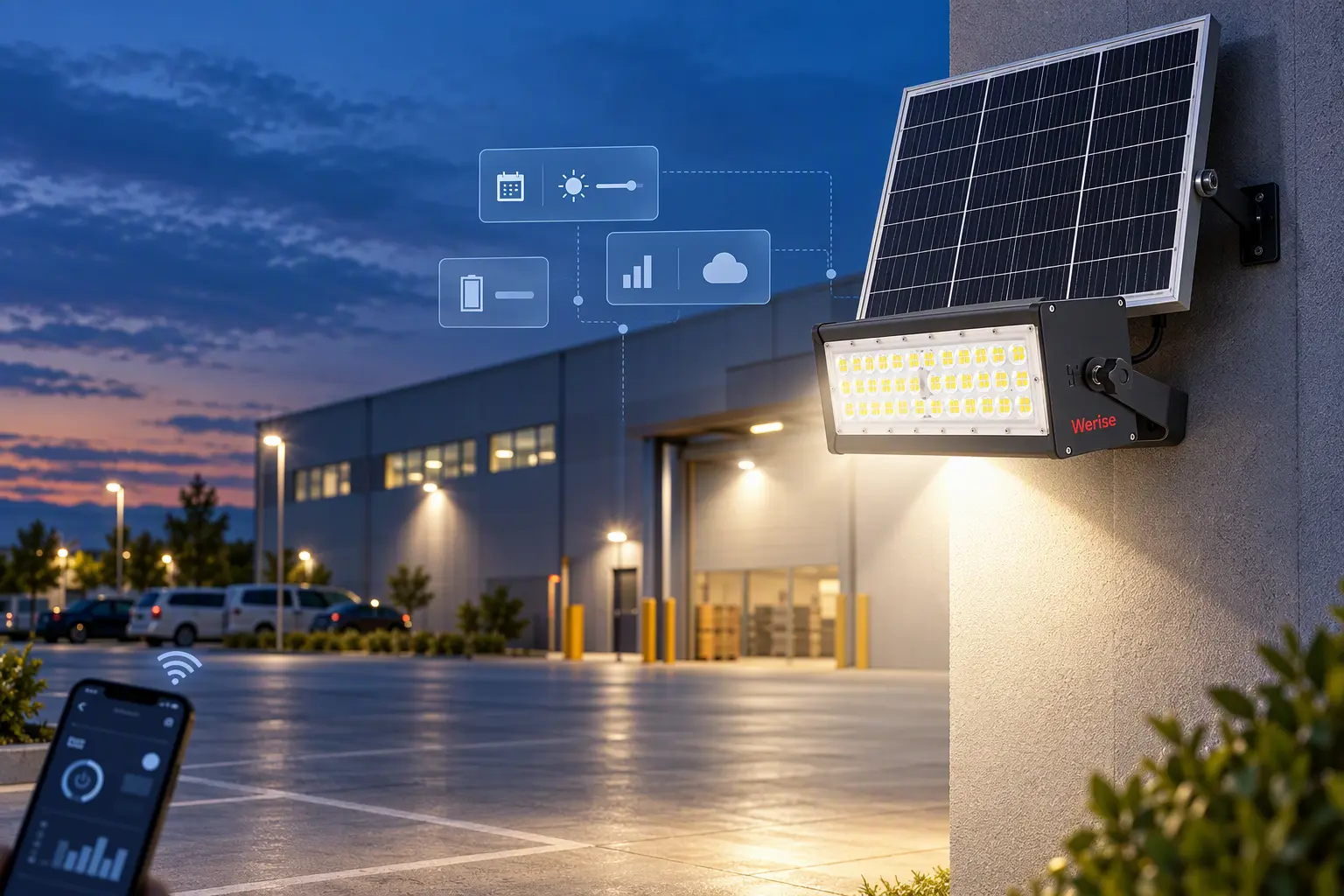
Tuya smart solar flood light system

A Beginner’s Guide to Smart Solar Flood Lights Powered by Tuya Platform

Smart solar flood lights are easier to specify when a buyer treats them as a lighting system rather than as a lamp with an app added later. The solar panel, battery, LED fixture, controller, sensors, network path, and management interface must work together for the intended site. For example, an outdoor solar flood light over a warehouse yard or car park still has to survive weather, charge on short winter days, and switch on reliably at dusk — the app alone cannot do that. For a first project, the practical question is not simply whether a flood light is “smart.” It is whether the chosen system can provide the lighting output, control method, operating schedule, and maintenance visibility that the site requires. Our Tuya Solar Flood Lights are positioned for this kind of project discussion, while the final configuration still depends on the application and site conditions. What makes a solar flood light smart? A conventional solar flood light stores energy during the day and powers the LED fixture after dark. A smart solar flood light adds a management layer around that basic energy cycle. Depending on the selected product and project configuration, the management layer may allow an operator to view status, change settings, schedule operation, or receive an alert. Werise describes AI and IoT solar lighting with remote monitoring, intelligent scheduling, and fault warning. It also describes Web and mobile APP access for functions such as brightness, color-temperature, on/off, and selected equipment control. These statements describe supported system capabilities; they are not a promise that every model or every project includes every function by default. Tuya is therefore best understood as the control platform used in a configured lighting solution. It does not replace the solar panel, battery, LED fixture, or mounting hardware. It adds the interface through which those parts are controlled and monitored. Which project inputs should be defined first? A reliable specification starts with the site, not the catalog. Record the area that needs illumination, the use of the site at night, and the conditions that affect performance. For each location, collect: The application, such as a yard, parking area, warehouse perimeter, park, access road, or industrial site. The target lighting area and the locations where fixtures can be mounted. The desired operating schedule, including full-brightness periods and any dimming periods. Solar exposure, shading, local weather, and the position of the panel. The required control method, such as local control, Web access, mobile APP access, or scheduled operation. The people who need access to the system and the actions each person should be allowed to perform. Any need for status monitoring, fault alerts, GPS identification, or remote firmware updates. The installation method, cable constraints, wall or pole conditions, and maintenance access. These inputs help separate a genuine smart-lighting requirement from a request for a basic solar flood light. How does Tuya solar flood light control fit into the lighting system? In a configured Tuya solar flood-light system, the controller connects the lighting hardware with the user’s management interface. The interface may be a Web dashboard, a mobile APP, or both. The Tuya smart lighting category includes other networked products, so the selected product should be tied to the exact product record, model number, and control scope. For a commercial or industrial site, the value of the management layer is visibility and repeatable control. That value depends on stable connectivity. Those requirements need to be defined in the project plan. What should buyers verify about the product itself? The control platform is only one part of the decision. Confirm the fixture, solar module, battery, control function, expected operating pattern, and installation requirements. The Werise product 100W Tuya Smart Solar Flood Light HC-WT3-A100W is a useful check for the standard information that should be visible on a product page. A related example is the 100W Tuya Smart Solar Flood Light HC-WT3-A100W. The product page lists a 100W lamp, a mono-crystalline solar cell, a LiFePO4 battery, Tuya PC/APP control, adjustable brightness, adjustable color temperature, and pole or wall mounting. Verified on the product page for the HC-WT3-A100W (100W): Tuya app control provides remote on/off, adjustable brightness, adjustable colour temperature from 3000K to 6000K, and timer/schedule control; the product page also lists 21,000 lm luminous flux, 210 lm/W efficiency, CREE 3030 LED chips, IP65 and a 3-year warranty. Sensor detection range, angle and delay are customizable to project and customer requirements. Ask for the exact product record that will be quoted. Check that the following items match the project requirements: The model number and intended application. Solar panel and battery configuration. Controller and supported control functions. Mounting method and mounting height. Operating temperature and enclosure requirements. Beam distribution and target coverage. Available communication and user-management options. Required documents, samples, and acceptance criteria. If a requested function is important, write it into the quotation or technical confirmation rather than relying on a generic page statement. How should a first Tuya solar flood-light project be evaluated? A simple evaluation sequence reduces avoidable changes later. First, describe the lighting task in plain language. For example, a buyer may need scheduled lighting for a yard, or scheduled lighting with a sensor for an access area. Second, define the operating pattern. State when the lights should run, which periods need full brightness, and which periods can be dimmed. Third, confirm the energy and installation conditions. The panel position, available sunlight, battery capacity, cable route, and wall or pole constraints affect the quoted model. Fourth, select the control scope. Decide whether the project needs one-light control, group control, scheduled operation, or status monitoring. Fifth, test the proposed configuration before the full order. Use a sample, demonstration, or documented test to check output, control behavior, and the information that the management interface displays. Finally, define handoff data. The supplier and buyer should agree on model lists, device names, user permissions, and the process for handling faults, changes, and replacements after installation. Which claims require extra project confirmation? Smart-lighting language can sound broader than the evidence behind it. Treat several claims as project-confirmation items: “Remote monitoring” should identify what status is visible and through which interface. “Fault warning” should identify the event types, notification method, and applicable product or products. “Tuya control” should identify the supported controller, account setup, network route, and functions that continue when the network is unavailable. “Camera integration” or other external-device integration should be treated as a scalable project scope, not as a standard function. Numeric performance, certification, warranty, lead-time, and environmental claims should be tied to a named model and supplied documents. This discipline protects the buyer from selecting a system based on a broad marketing phrase that does not describe the quoted configuration. When is a smart solar flood light a good fit? A Tuya-powered solar flood light is a reasonable candidate when the project needs independent solar power and also benefits from repeatable control. The control value comes from the management layer. A basic solar flood light may be enough when the site is small, the schedule is fixed, local access is simple, and status monitoring is not a priority. A Tuya-powered solar flood light is also a good candidate for sites with network constraints, provided that they are considered in the project plan. What should be included in the supplier handoff? Before requesting a final quotation, prepare a short project pack containing the site location, application, mounting conditions, operating schedule, required control scope, and expected operating environment. We can use that information to review the control architecture, identify which functions need product confirmation, and provide a project-specific quotation. Related reading: for motion sensors, dimming and energy saving, see How Motion Sensor Lights Save Energy. Tuya Solar Flood Light FAQs How do I pair a Tuya solar flood light with the app? Add the light in the Tuya app as a new device, put it in pairing mode as the quoted model’s instructions say, and connect it to your account and network. Once paired, the HC-WT3-A100W page confirms Tuya app remote on/off, brightness, 3000K-6000K colour temperature and timer control. The HC-WT3-A100W connects to Tuya via 4G with a built-in chip. Confirm before ordering — the HC-WT3-A100W product page does not give pairing steps. Before ordering, ask for: the pairing procedure and the conditions that close the pairing window, the account setup, and the network route. Once paired, the product page states that Tuya control provides remote on/off, brightness, colour temperature and timer control through the Tuya app. Does the light still work if the network is down? No: app remote control needs the network, so it will not work while the network is down. Typically, as a guide, a solar light may still switch on locally on its stored schedule or at dusk, but the page does not state which functions, if any, continue locally for this model. Confirm before ordering — the product page does not state which functions continue locally without a network. Ask which sensor behaviour, if any, continues locally if the network or app is unavailable. How far away can I control the light from the app? There is no fixed remote-control distance: Tuya app control works through the network, so you can control the light from the app wherever you have network and app access, not within a stated local range. The product page does not state a remote-control range. Confirm before ordering the light’s behaviour for the exact model if you need offline or local control.
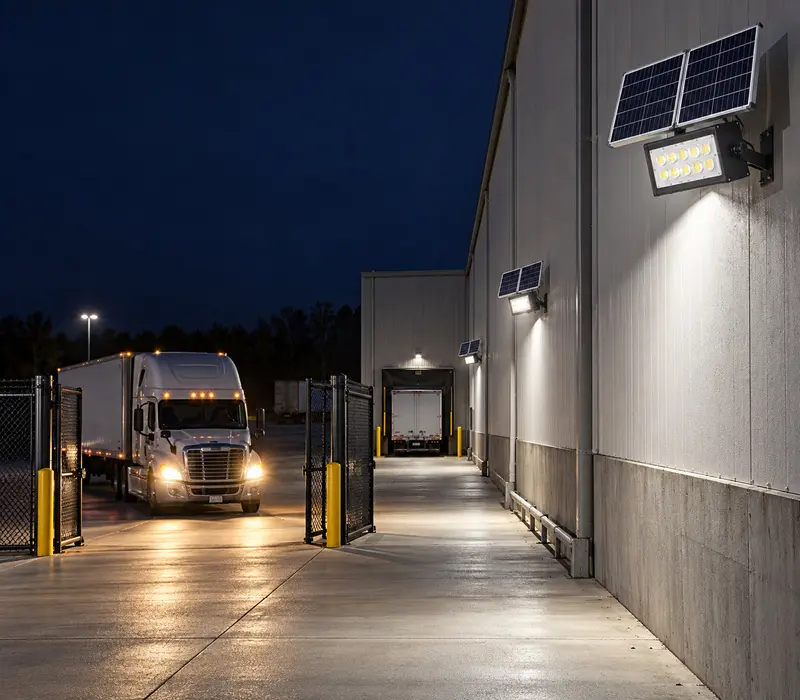
Tuya Flood Lights for After-Hours Warehouse Deliveries

Motion Sensor Solar Flood Lights: Dimming and Energy Saving Smart Functions

A little after two in the morning, headlights swing across the empty wall of a warehouse. A truck is easing through the gate, hours after the day shift left. The gate light wakes up first. Two units beside the loading lane follow. By 2:22, the driver is at the bay and the yard has gone back to its dim overnight level. That is a motion sensor solar flood light doing its job: light only where and when it is needed. Nothing dramatic happened, just the right lamps coming on when a driver needed them. This is the everyday work of the sensor. The difficult bit isn’t buying the sensor. It is agreeing on what should happen at 2:10 a.m., and who is responsible for keeping that agreement current. That agreement is a set of decisions: how the lights brighten, for how long, how they dim, and when they go back to rest. In this guide, we explain how a Tuya solar flood light system uses motion sensors, dimming and schedules to save energy from a practical angle. It covers what triggers a change in output, how the light behaves during a visit, and how schedules, modes and local control fit together. It also describes the recurring failure points, where savings are most likely to be lost, and the paperwork needed to keep them there. That means the idea of overnight readouts and schedules can be used for energy management. The goal is not to switch off a large amount of light immediately. A small fraction of output kept during quiet hours can combine with a schedule and save energy. That is the whole value of a light with a motion sensor. How Motion Sensor Solar Flood Lights Work Brochures tend to place sensing, scheduling, and dimming shoulder to shoulder. On the job, they happen in sequence. First, something should provide a reason to change the output. In practice, that reason is one of three things: a recorded activity, a schedule, a condition that the app has been told about, or a remote command. Think of the schedule as the boundary around the rule; it might apply only after the last shift has ended. A schedule asks whether today is the same day as yesterday, or whether a delivery arrived at an unusual hour. Figure out what triggers the change before deciding how much light to provide. When we review a project, the rule is written as if we were explaining it to the night guard. From experience, the words “Standard sensors” are never enough. Instead, we agree on named events, such as “At 2:10 a.m., the first delivery of the night triggers the gate light.” That test question is equally useful when a client asks why the neighbours’ units also wake up. Planning the Motion-Detection Area The smooth fan shape on a sensor diagram never shows the messy bits of a real yard. It misses the trees, the passing traffic, the reflective fence, and the corner of the building that blocks half the lane. The diagram can claim a coverage pattern, but the live test decides the working area. That is why the planning needs to happen on the ground, rather than in the catalogue. A sample installation settles many of these questions. With the lane chalked out, someone should walk the delivery route at the right hour, then note which units wake and which stay dark. The walk should also check the approach from the gate, the yard edge and the spaces behind the stored pallets. We prefer at least one check after dark. After dark, the crew finally sees the beam in context. They can see where the light lands, how long it lingers, and what it hides. When the crew agrees, the plan gains a usable boundary, and the bright areas stop drifting during installation. The test sheet doesn’t need polish. We use a few practical columns for the model and sensor, where the trigger happened and what was observed. The sheet should also record the date and time, and whether the unit was checked in its normal operating state. A simple record like that has more value later than a memory that starts, “We think the sensor was fine.” How Dimming Rules Affect Energy Use Every solar fixture begins the evening with a limited store of energy. The busy question is how long the light should stay bright after an event. Brightness that serves no one should fade, not stay bright all night. Imagine identical units at two gates. The storage gate opens twice overnight. The residential gate sees occasional late traffic. With schedules and dimming, each unit’s light level can adapt. That is why a dimming rule matters as much as any battery figure. Sizing therefore starts with an estimated night profile. The useful inputs are local night length, how many visitors arrive, how long each stay is in the plan, and what fraction of full output makes sense after the last visit. Those are the assumptions that matter most. When combined with the profile, runtime, charging, and brightness can be checked together. If traffic is still a guess, we start cautiously and read the pilot unit’s record later. That keeps the design honest and the trial can be extended. A pilot light can be watched for a month. The following season can then use the same input information in the plan. App Accounts and Connectivity Requirements The named HC-WT3-A100W is a Tuya-controlled solar flood light. It can provide Tuya control from a phone or computer, with app-based scheduling and remote dimming in daily use. The Tuya connection uses 4G with a built-in chip. That makes the account setup part of the decision, not an afterthought. The account is easy to overlook at purchase time. Later, it can become the awkward part. Who owns it? Who can change the schedule? How does a shift build a new rule? If ownership is unclear, a crew can find itself with a phone that controls a light nobody can touch. Get the answer in writing before the fittings arrive. In the handover file, each app name should sit beside its physical location. We also capture the live state of the fitting. That matters when the new facilities person asks who owns the light at the far end. Then disconnect the network during the acceptance discussion, at least conceptually. Which functions should continue locally if connectivity disappears, and how should the sensor behave if it is powered off? A written answer is worth more than a confident sales statement. If the proposed controller changes behavior without a network, note it. Otherwise, doubt it. What the Status Screen Can Show The customer material for the Tuya unit describes online operating-status checks and automatic fault alerts, with remote power pricing on the group level. That means the status view is useful as a first check, not a full diagnosis. A reading of the panel tells the operator where to look first. The physical check still settles the question. The exact screen content should be confirmed for the quoted controller. It may include device state, fault alerts, online status, and remote dimming controls. That information is worth listing for the buyer. A stated function that no one can find on the screen is not really a feature. Commissioning can be simple. Open the correct group, locate the fixture by its site name, and send a command. At that point, check that the intended light responds and that unrelated groups stay dark. If the right light doesn’t answer, the assignment needs to be corrected before the crew leaves. That is the moment when the map, the app and the yard finally agree. Site Information to Confirm Before Configuration Our first question is usually about the night shift, not the app. Perhaps the manager locks the yard at midnight, or perhaps deliveries arrive all night. It may be that the crew keeps a gate open for a forklift, or that the yard is only used for storage. The mode choice follows these answers. For the quiet warehouse, a sensible first trial could be low light after closing, followed by a temporary lift to full brightness on detection. It is a trial configuration, not a final setting. A month of quiet nights will show whether the trial is worth keeping. Werise lists Tuya-controlled options in its product range, and a category of AI IoT solar flood lights shows the fitting family. A plan and quantity get the inquiry started. The useful detail is what follows sunset: when the doors open, who needs light, how long the delivery takes, and which areas can stay dim. That detail decides how the controls are set, not the shape of the fitting. For the solar side, we need the location and any shade, plus the seasons that cause concern and how the charger fits. Upgrades stay plausible. A written plan for solar, storage, and light keeps everyone on the same page. It also makes the follow-up call easier. The details are standard for a solar flood light enquiry. The proposal can then name every main part instead of leaving the hardware behind generic labels. It should cover the fixture, controller, battery, and sensor. The names matter, because some sites need a replacement part years later. Some sites need more than a single connected fixture. The AI IoT solar lighting range covers wider site-level control where single fixtures are not enough. Send the plan and that night-time story through the Werise contact page. We can then look at the visit, the dimming, and the trial together. The first answer is better when it follows the site story. Related reading: for the platform behind Tuya control, see A Beginner’s Guide to Smart Solar Flood Lights Powered by Tuya Platform; for choosing brightness by task and coverage, see Choosing Solar Flood Light Brightness: Lumens, Coverage and Site Conditions; and for shorter days and cloudy weather, see Solar Flood Lights in Winter: How to Plan for Shorter Days and Cloudy Weather. Motion Sensor FAQs What is the detection range and angle of the sensor? The HC-WT3-A100W product page lists no sensor detection range or angle, so there is no model-specific figure to quote. As a guide, typical PIR flood-light sensors cover roughly 8-12 m in homes (up to 20 m commercial) with a 90-180 degree field of view, and mounting height and aiming change the working area, so plan the area on the ground and walk-test it after dark. Sensor detection range, angle and delay are customizable to project and customer requirements. On site, plan the detection area and walk-test it after dark, as described above. Does the HC-WT3-A100W use a PIR or microwave sensor? The product page does not state the sensor type. Typically, most solar flood lights use a PIR sensor, which detects body heat and movement; microwave sensors, as a guide, detect movement through thin materials and can be more prone to false triggers. Confirm before ordering — the product page does not state the sensor type. Ask for: the sensor type (PIR or microwave), what triggers it, and how it is set for the quoted controller. How long does the light stay on after motion is detected? The product page lists no delay or hold time, but the Tuya app timer/schedule control for the HC-WT3-A100W lets you set when the light is on. Typically, as a guide, the on-time after motion is adjustable from about 10 seconds to 5-30 minutes, and the light can then dim rather than switch off. Sensor detection range, angle and delay are customizable to project and customer requirements. Write the rule as if explaining it to the night guard, as described above, and get it in writing. How do I stop my motion sensor flood light from false triggering? Plan the detection area on the ground, not from the catalogue diagram: the diagram’s smooth fan shape misses trees, passing traffic, reflective fences and building corners that block the lane. Walk the route with the lane chalked out, check after dark, and record the model, sensor, trigger point and observation on the test sheet. For sensitivity and aiming options on the quoted controller, confirm before ordering. Also mount 8-12 ft high at a 25-30 degree downward angle, as typical industry ranges, not WT3-A100W specifications, start at medium sensitivity and walk-test the zone. Angle the sensor slightly down to focus on human-height movement, and keep it away from heat sources, reflective surfaces, moving cars and strong electromagnetic interference; do not aim it at the sun. Confirm the exact detection range and delay for your model before ordering – these vary by model. Why did my solar flood light stop working after a few days of use? Before first use, place the solar light in a sunny area for 2–3 days — a typical industry range, not a WT3-A100W specification — to charge, and make sure the solar panel faces the sun. New units ship with a partially charged battery; using them immediately drains it before the panel can refill it. Why is my solar flood light dim or flickering? Dim usually means the battery is not fully charged — a dirty, shaded or wrongly angled panel, or an ageing battery (a healthy LiFePO4 cell reads about 3.2–3.3V (a typical industry range, not a WT3-A100W specification)) — or the light is in a dim/energy-saving mode. Flickering usually means low battery power or a loose wiring connection: charge fully in direct sun first, check the wiring, and if the battery is old, replace it. Quick test: cover the panel with a towel to simulate night — if the light comes on, the sensor works and the problem is charging, not the LED. Can solar flood lights stay on all night automatically (dusk to dawn)? They turn on automatically at dusk and off at dawn, but “all night at full brightness” depends on the battery: lights often die after a few hours on dusk-to-dawn mode. Practical advice: set the light to stay on about 3 hours per night (a typical industry range, not a WT3-A100W specification), or use motion or timer modes. Some models claim 12–14 hours per charge (a typical industry range for some models, not a WT3-A100W specification) with LiFePO4 batteries and remote brightness/timer control — check the battery capacity and the dimming profile behind the claim before relying on it. Why does my solar light only work when the panel is faced down on something? The light is exposed to light from another source, such as a street light. While the solar cell is actively generating electricity, the light stays dark — the dusk sensor thinks it is daytime. Fix: aim or shade the light so no other light shines on the solar cell or panel.

Productos
Contactos
WhatsApp
Correo electrónico